Did you know that up to 10% of your monthly energy bill is drained by electronics that are technically turned off? According to the U.S. Department of Energy (DOE), this invisible waste costs the average American household at least $100 per year.
This silent energy theft is known as “phantom load” or “vampire power.” It occurs when electronics and chargers continuously pull electricity from the grid just by remaining plugged into the wall. As homes become smarter and more connected, this baseline energy draw only continues to grow.
In this comprehensive guide, we will show you exactly how to unplug power-hungry appliances to save electricity. By making a few simple, habit-based adjustments to your household routines, you can effectively eliminate phantom power consumption and lower energy costs.
For a quick start, here are the top appliances you should focus on:
- Televisions and home entertainment systems
- Desktop computers and laptop chargers
- Idle phone and tablet charging cables
- Gaming consoles left in standby or instant-on mode
- Small kitchen appliances with digital clocks or LED displays
Read on to discover how tackling these specific devices can transform your monthly utility bill.
Why You Must Unplug Power-Hungry Appliances to Save Electricity: LED Display Devices
When you press the power button on your television remote, the screen goes black, but the device is rarely completely off. Modern entertainment systems—including smart TVs, cable boxes, and DVD players—are designed to stay in a continuous state of readiness.
These devices consume standby power drain to maintain network connections, update channel guides, and listen for the infrared signal from your remote control. A single smart TV can consume between 2 and 5 watts in standby mode. When you add a soundbar, a streaming device, and a cable box to the mix, your entertainment center could be drawing 15 to 20 watts 24/7.
To combat this, you do not need to manually pull every cord from the wall. The most practical solution is to group these devices on an advanced power strip. By using a smart power strip, you can designate your TV as the “master” device; when you turn the TV off, the strip automatically cuts the power to all peripheral devices.
Key Takeaway: Stop standby power drain by plugging your entire entertainment system into a master-controlled smart power strip. This cuts phantom power to zero with a single click.
Related Post: Top 10 Gadgets to Reduce Your Electric Bill in 2026.
Stop Standby Power Drain from Computers and Laptops
There is a persistent misconception that modern computers consume negligible amounts of electricity when left plugged in. While energy efficiency has improved dramatically, desktop setups remain significant contributors to phantom power consumption.
A standard desktop computer, along with its monitor, printer, and desktop speakers, can pull 5 to 10 watts even after you have initiated a system shutdown. If you only use “sleep mode” rather than shutting down, that number can easily double. Laptops also contribute to the problem; leaving a fully charged laptop plugged in not only wastes electricity but can also degrade the lithium-ion battery’s lifespan over time.
Develop a routine of completely shutting down your computer at the end of the workday. Utilize a surge protector with an integrated on/off switch for your home office. This allows you to safely sever the electrical connection to your monitors, printer, and PC chassis simultaneously.
Key Takeaway: Never leave your laptop plugged in at 100% battery, and use a switchable surge protector to instantly cut power to your entire home office setup at the end of the day.
Idle Chargers: A Sneaky Source of Phantom Power Consumption
We are all guilty of it: unplugging our smartphone in the morning and leaving the charging cable dangling from the wall outlet. It is easy to assume that because nothing is attached to the other end, no electricity is being used. Unfortunately, this is a myth.
The bulky part of your charger (the “brick” or transformer) contains internal circuitry that constantly draws a minute amount of AC power from the wall and converts it to DC power. While a single idle phone charger only draws about 0.1 to 0.5 watts, the cumulative effect is what hurts your wallet. If you have ten chargers scattered around your home for phones, tablets, smartwatches, and electric toothbrushes, you are paying for continuous, unused electricity.
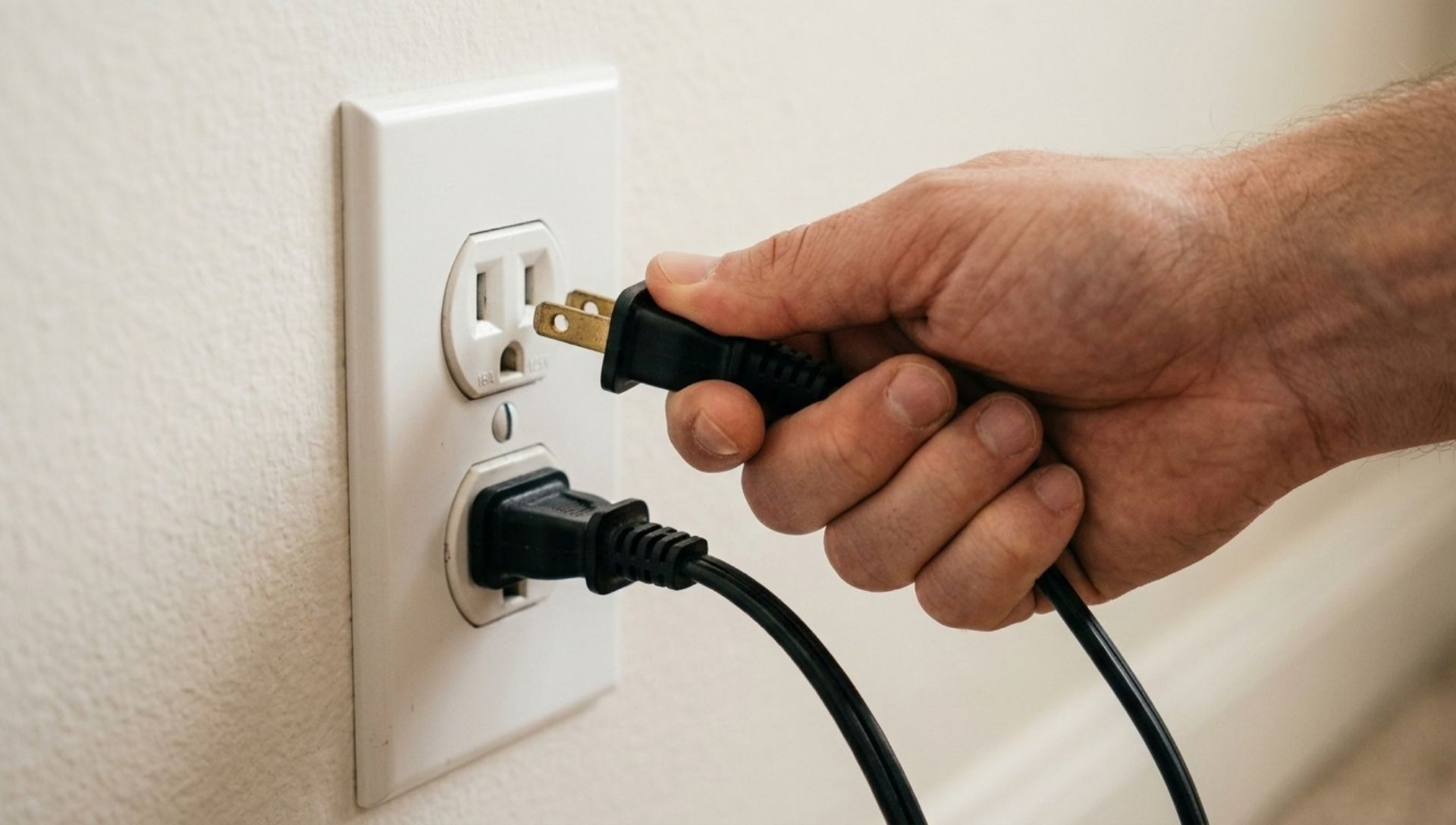
Make it a household rule to unplug chargers when they are not in active use. If reaching behind furniture is difficult, consider relocating your charging stations to more accessible outlets or using small, single-outlet switch adapters that let you kill the power without removing the plug.
Key Takeaway: Unplug charging bricks as soon as your device reaches a full charge. A charger plugged into the wall is still drawing electricity, even if no device is attached.
Unplug Power-Hungry Appliances to Save Electricity: Gaming Consoles
Modern gaming consoles like the PlayStation 5 and Xbox Series X are essentially high-powered computers. By default, many of these systems are set to “Instant-On” or “Rest Mode.” This allows them to boot up in seconds, charge controllers, and download massive background updates while you sleep.
While convenient, this convenience comes at a steep energy cost. According to the Natural Resources Defense Council (NRDC), a console in connected standby mode can consume up to 15 watts continuously. Over the course of a year, leaving a single gaming console in this mode can add $15 to $20 to your utility bill.
To lower energy costs, dive into your console’s system settings and switch the power mode from “Standby” to “Energy-Saving” or “Full Shutdown.” Furthermore, optimizing the brightness settings on the TV you use for gaming can compound your savings, as a dimmer screen requires significantly less electricity to power its LED backlights.
Key Takeaway: Disable “Instant-On” features on your gaming consoles. Switch to full energy-saving modes to prevent background updates from driving up your electricity bill.
Broader Energy-Saving Tips for Home: HVAC and Water Heating
While learning to unplug power-hungry appliances to save electricity is vital, you must also address the heaviest hitters in your home: your heating, ventilation, air conditioning (HVAC), and water heating systems. These systems account for over 50% of an average home’s energy usage.
Though you cannot simply unplug your water heater, you can drastically reduce its passive energy consumption. The Environmental Protection Agency’s ENERGY STAR program recommends setting your water heater thermostat to 120°F (49°C). Many manufacturers set heaters to 140°F by default. Lowering the temperature to 120°F not only prevents scalding but can save you 4% to 22% annually on water heating costs by reducing standby heat loss.
Similarly, utilize a programmable thermostat for your air conditioning. Set your system to adjust the temperature by 7 to 10 degrees from its normal setting for the 8 hours a day you are away from home. This simple step can save you up to 10% a year on heating and cooling costs.
Key Takeaway: Optimize large appliances by turning your water heater down to 120°F and utilizing a programmable thermostat. This prevents standby energy waste on a massive scale.
Conclusion
Reducing your household’s energy footprint does not require living in the dark. By identifying and managing vampire power, you can significantly reduce electricity bills without sacrificing modern conveniences. The cumulative impact of these small actions—like flipping off a power strip or tweaking a console’s sleep settings—translates into real, measurable financial savings year after year.
Remember, the easiest way to unplug power-hungry appliances to save electricity is to make it a seamless part of your daily routine. We encourage you to walk through your home tonight and conduct a quick energy audit. Look for glowing red standby lights, idle chargers, and digital displays on appliances you rarely use. Unplug them, and watch your lower energy costs reflect your hard work next month!
Frequently Asked Questions About Phantom Power and Unplugging Appliances
How much money can I actually save by unplugging appliances?
The U.S. Department of Energy estimates that phantom power consumption accounts for roughly 5% to 10% of residential electricity use. Depending on your local utility rates and the size of your home, unplugging idle devices and utilizing smart power strips can save you anywhere from $100 to $200 annually.
Does unplugging appliances damage them over time?
No, unplugging standard household appliances and electronics will not damage them. However, constantly plugging and unplugging devices from the wall can wear out the physical outlet over many years. This is why using a high-quality surge protector with an on/off switch is the safest and most convenient method.
What is a smart power strip and how does it work?
A smart power strip looks like a traditional surge protector but includes built-in technology to cut off power to peripheral devices when they are not in use. Some use a master outlet (turning off the TV turns off the speakers and game consoles), while others use timers or motion detectors to manage energy flow.
Should I unplug my Wi-Fi router at night?
While unplugging your router will save a small amount of electricity (about 5 to 10 watts), it is generally not recommended. Many smart home devices, security cameras, and mobile phones rely on a continuous internet connection for overnight software updates and security monitoring. The minimal energy savings are usually outweighed by the loss of functionality.
Why do kitchen appliances use power when turned off?
Many small kitchen appliances, such as microwaves, coffee makers, and toaster ovens, feature digital clocks or LED displays that remain lit 24/7. Additionally, modern appliances with touchpads use standby power to keep the internal sensors ready to register your touch. Unplugging these items when not actively cooking is a great energy-saving tip for home use.